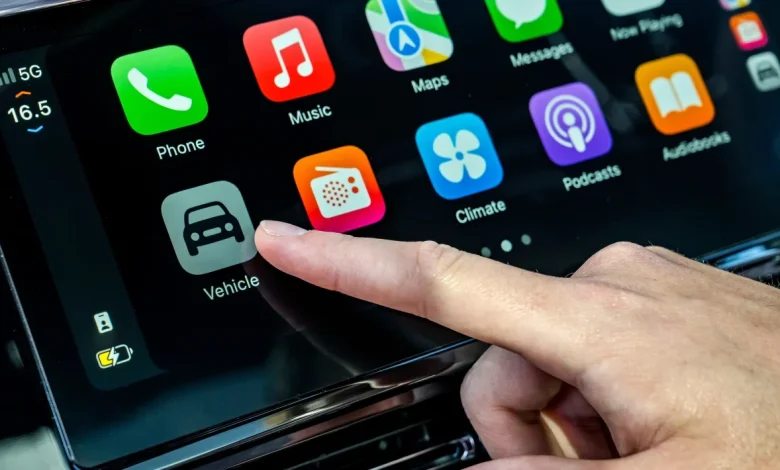
Fresh updates coming to the iPhone operating system bring welcome changes to the Apple CarPlay experience, with a major focus on configurability.
Following its launch in September, iOS 26 introduced a redesigned interface for Apple’s in-car smartphone mirroring software, which included configurable widgets, less intrusive notifications and not forgetting, of course, the controversial new ‘Liquid’ Glass’ art style.
Now, with the arrival of iOS 26.2 (due from mid-December 2025), drivers with cars boasting a large infotainment display will be able to configure three widgets instead of just two, providing more information at a glance. Thanks to the new Live Activities feature introduced in the previous update, motorists can, for example, display live sports scores, their current music choice and even some memorable photos on the screen at one time.
Advertisement – Article continues below
Another introduction as part of iOS 26.2 is that drivers will now be able to disable the pinned messages view within the “Messages” texting app; the optional layout pushes important conversations, such as with close family members, to the top of the screen, prioritising them over newer notifications. Thanks to the new update, however, this feature can be switched off.
iOS 26.2 can be downloaded by anyone who uses an iPhone 11 or newer. Of course, this latest iteration of CarPlay isn’t anywhere near as comprehensive as Apple CarPlay Ultra, which launched earlier this year and is currently only available in Aston Martin models.
If you’re in the market for a new car but can’t quite stretch to an Aston, Auto Express’ Buy a Car service boasts fantastic deals on all of the most popular new car models, the majority of which come fitted with Apple CarPlay connectivity as standard.
We have already written a full deep dive into CarPlay Ultra, but in essence this adds even more features including customisable gauges designed in collaboration with both the manufacturer and Apple, as well as integration of several car functions within the CarPlay interface itself. This means you don’t have to exit the software in order to adjust the climate controls or change the drive mode, for example.
Get the latest and best car news and reviews, first! Follow Auto Express on Google today